
Every “what is the status of my payment?” email costs your AP team time they don’t have. The TranscendAP Supplier Portal gives vendors real-time status on where their invoice is in the payment process — so your team stops fielding the same questions and starts closing the books faster. See how it also empowers AP to onboard new suppliers, with data always verified and in sync with your ERP.
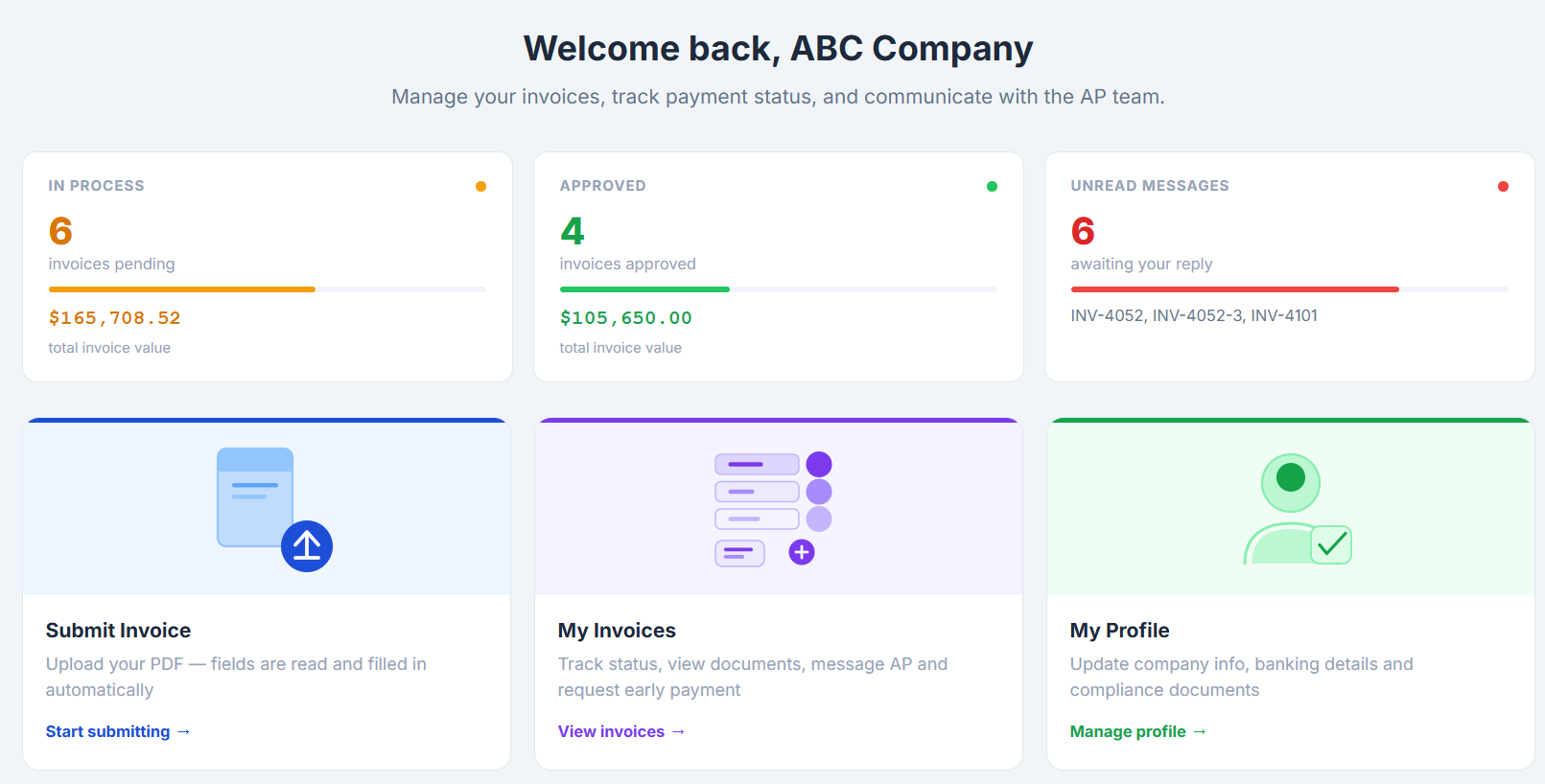
Your suppliers have questions. Stop being the answer desk.
Every unpaid invoice, every status check, every “did you get my email” — right now, that’s a phone call or an inbox message landing on your AP team. A self-service supplier portal takes that off their plate entirely: vendors get answers the moment they want them, without taking time away from your team.

No more status-check phone calls
Vendors notified as status changes
Fewer “just checking in” emails
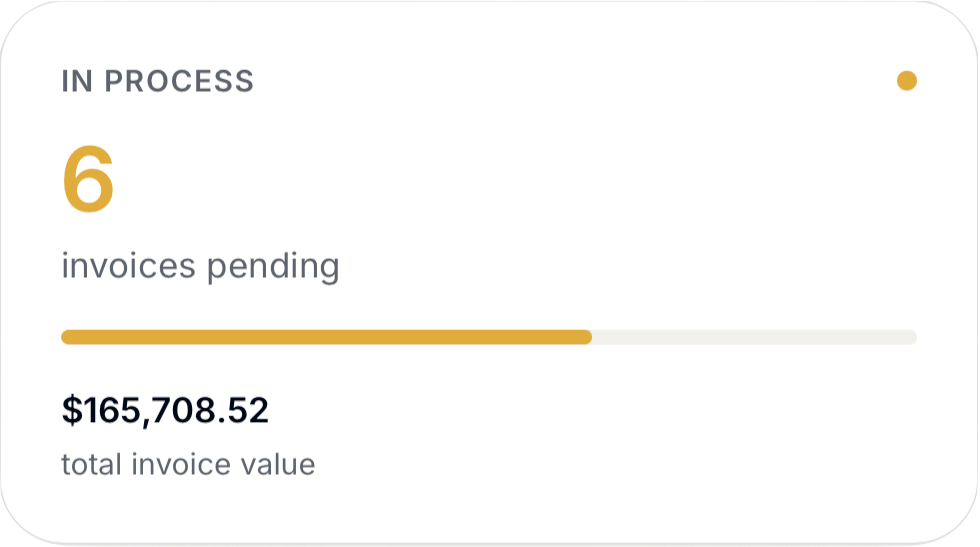
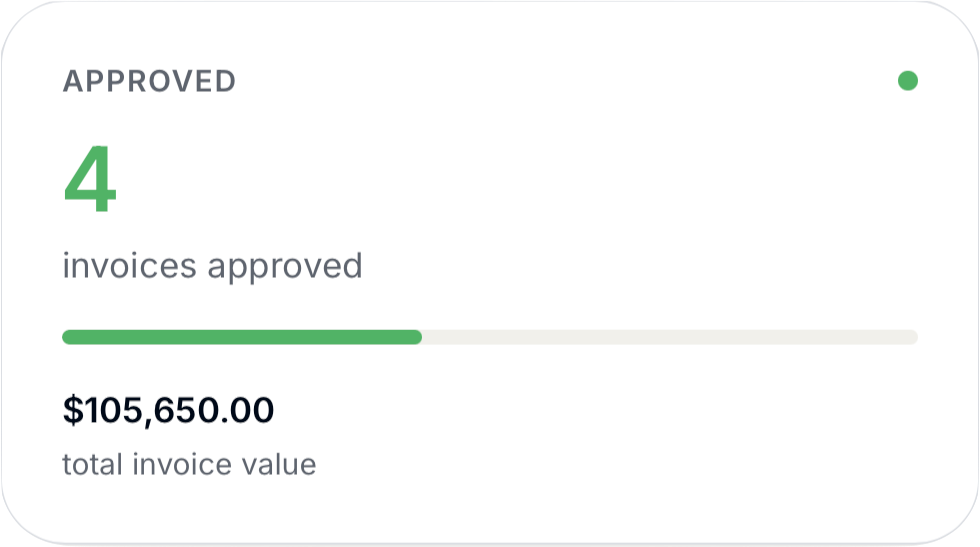
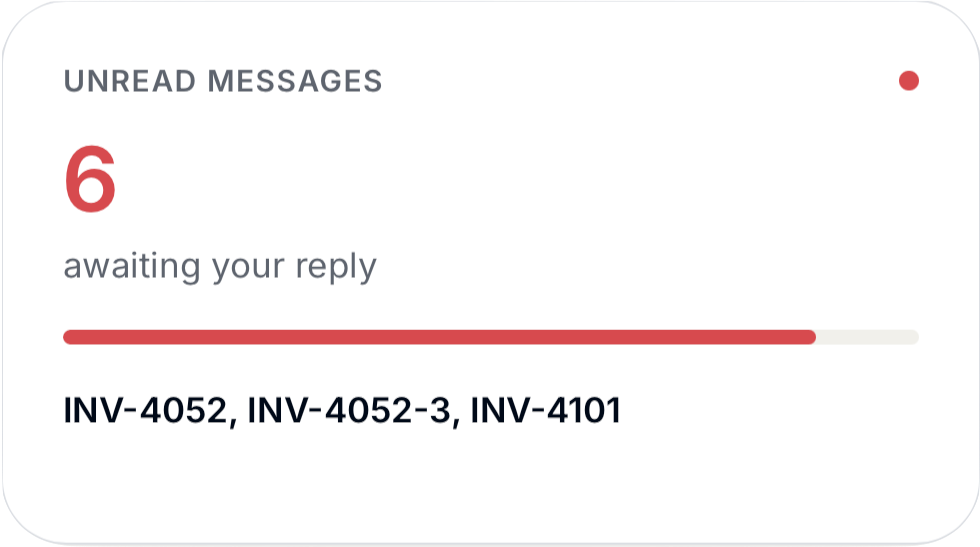
Give suppliers real-time visibility, instantly
The moment an invoice status changes, your suppliers know — no follow-up email required. Fewer “just checking in” messages means your team spends that time on the work that actually needs a person.
Everything suppliers used to email you about
Submission, resubmission, answers, and profile updates — handled by the supplier, verified by your team, synced to your ERP.
No-hassle invoice submission (and resubmission)
Rejected invoices are one of the biggest sources of vendor frustration and AP back-and-forth. TranscendAP lets suppliers see exactly why an invoice was rejected so they can resubmit it without your team intervening — cutting the email chain down.
Instant answers, without the wait
Suppliers get real-time answers to their most common questions directly through the portal — no ticket, no hold time, no waiting for someone on your team to get to it.
Self-service profile management, synced to your ERP
Suppliers update their own banking details, contact info, and remittance preferences — changes flow straight into your ERP without your team touching a spreadsheet or re-keying anything.
Email-invite onboarding with supplier self-registration
Rejection reasons surfaced directly to the vendor
AP-team confirmation before profile changes post to the ERP
Two-way ERP sync across Oracle, Dynamics, QuickBooks, IFS, Coupa, and SAP
Supplier portal questions, answered
Access, resubmission, and how profile updates reach your ERP.
What is a supplier portal?
A supplier portal is a self-service platform that lets your suppliers check invoice status, resubmit a rejected invoice, and update their own profile information in real time — without emailing or calling your AP team. TranscendAP’s AI-powered supplier portal gives every supplier instant, self-service access to the answers they need.
How do my suppliers get access?
Suppliers get self-service access to TranscendAP’s supplier portal via your AP team’s email invite, which prompts self-registration. Once set up, suppliers can log in anytime to check invoice status and manage their own vendor profile.
Can suppliers fix and resubmit a rejected invoice themselves?
Yes. TranscendAP’s supplier self-service portal shows vendors exactly why an invoice was rejected and lets them correct and resubmit it themselves — no email back-and-forth with your AP team required.
Does it sync with our ERP's vendor records?
Yes — once confirmed by a member of the AP team for accuracy. TranscendAP’s supplier portal syncs supplier profile updates (banking details, contact information, remittance preferences) directly into your ERP in real time, with two-way integration across Oracle (including PeopleSoft), Microsoft Dynamics, QuickBooks, IFS, Coupa, and SAP.
TRUSTED BY FINANCE TEAMS WHO STOPPED ANSWERING STATUS CALLS





Your AP team didn’t sign up to be a help desk.
Give your vendors the answers they need, automatically.